WalkPadLog
Apple Watch can't count desk walks. WalkPadLog can.
The walking pad tracker for iPhone, no Bluetooth, no pairing, no account. You're walking on your pad while typing, but your Apple Watch shows zero steps? WalkPadLog fixes this: read the distance from your pad's display, enter it, done. Your workout lands in Apple Health as a real Indoor Walking Workout, with Activity Rings, calories, and heart rate.

No ads · No accounts · iOS 26.0+
How it works
Three steps to a tracked walking pad workout.
Read the distance
Look at your walking pad's display and note the distance you covered.
Enter it in WalkPadLog
Tap the + button and enter the distance. Takes less than three seconds.
Apple Health takes over
Your workout lands in Apple Health automatically, fills your Activity Rings, and is linked with your heart rate if you're wearing an Apple Watch.
Screenshots
Features
Count Steps Despite Typing
Your Apple Watch can't detect steps while your hands are on the keyboard, even though you're walking on your pad. WalkPadLog solves this: read the distance from your pad's display, enter it, done. Your session is logged as a real Indoor Walking Workout.
Accurate Calories from Weight, Pace & Incline
No more flat estimates. WalkPadLog calculates your burned calories using the MET formula from the Compendium of Physical Activities, and adds the grade term of the ACSM walking equation when you log an incline. It works from your body weight, your pace, and the incline you set. Set your weight in Settings (kg or lb depending on your iPhone's region) or sync it from Apple Health, and your Move ring reflects realistic values.
Your Incline Counts
Does your walking pad tilt? Log the incline per session, from 0 to 15 percent. WalkPadLog folds it into the calories it sends to Apple Health and attaches the vertical metres you gained to the workout. Set a default speed and incline once in Settings, so you don't have to adjust them on every entry.
Build Your Streak
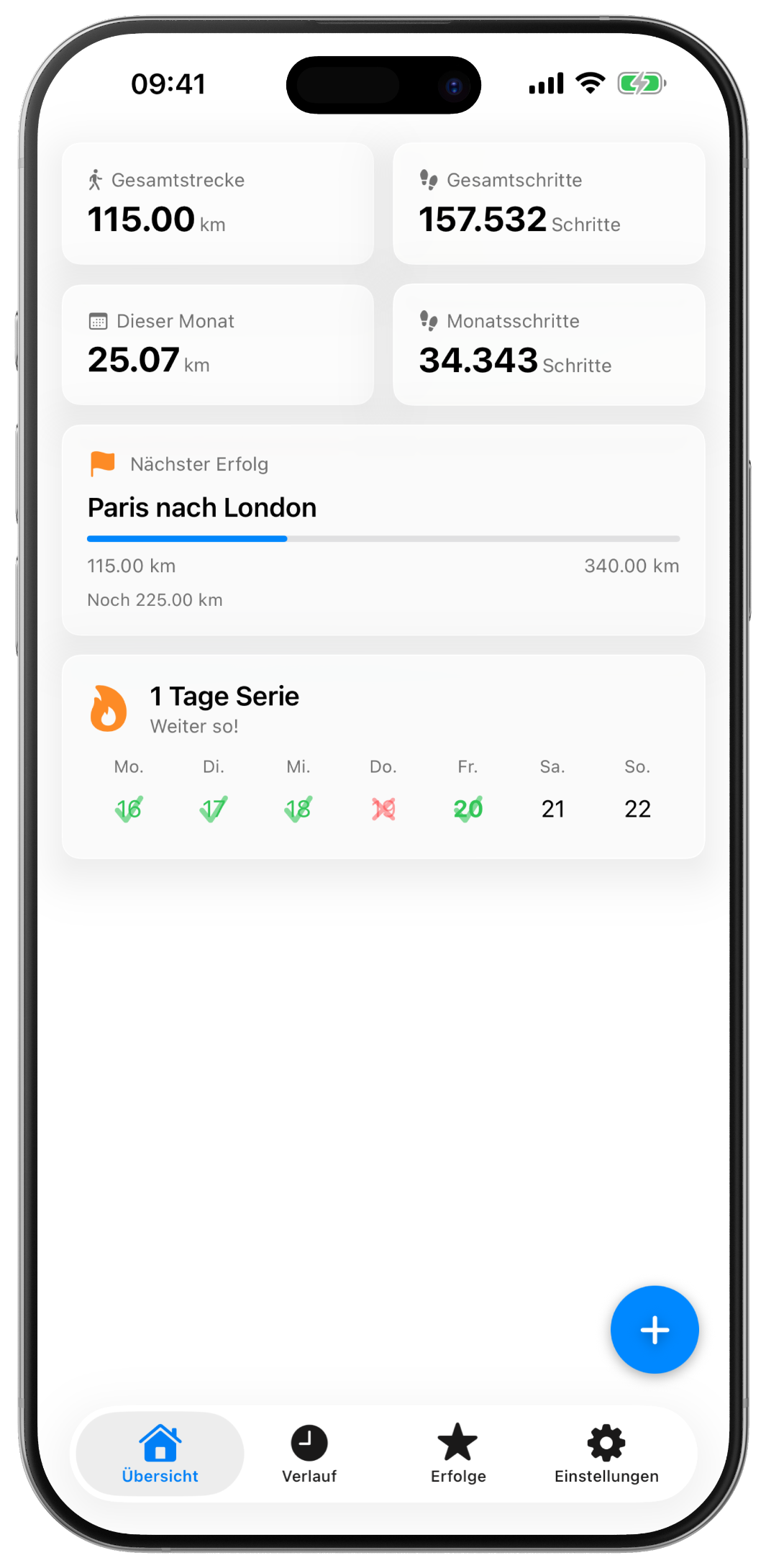
Set your walking days and build a daily streak. Missed a day? Instead of an outdated streak count, you get a friendly fresh-start message. Smart reminders only notify you on days when you haven't walked yet. Motivating without being annoying.
Unlock 12 Achievements
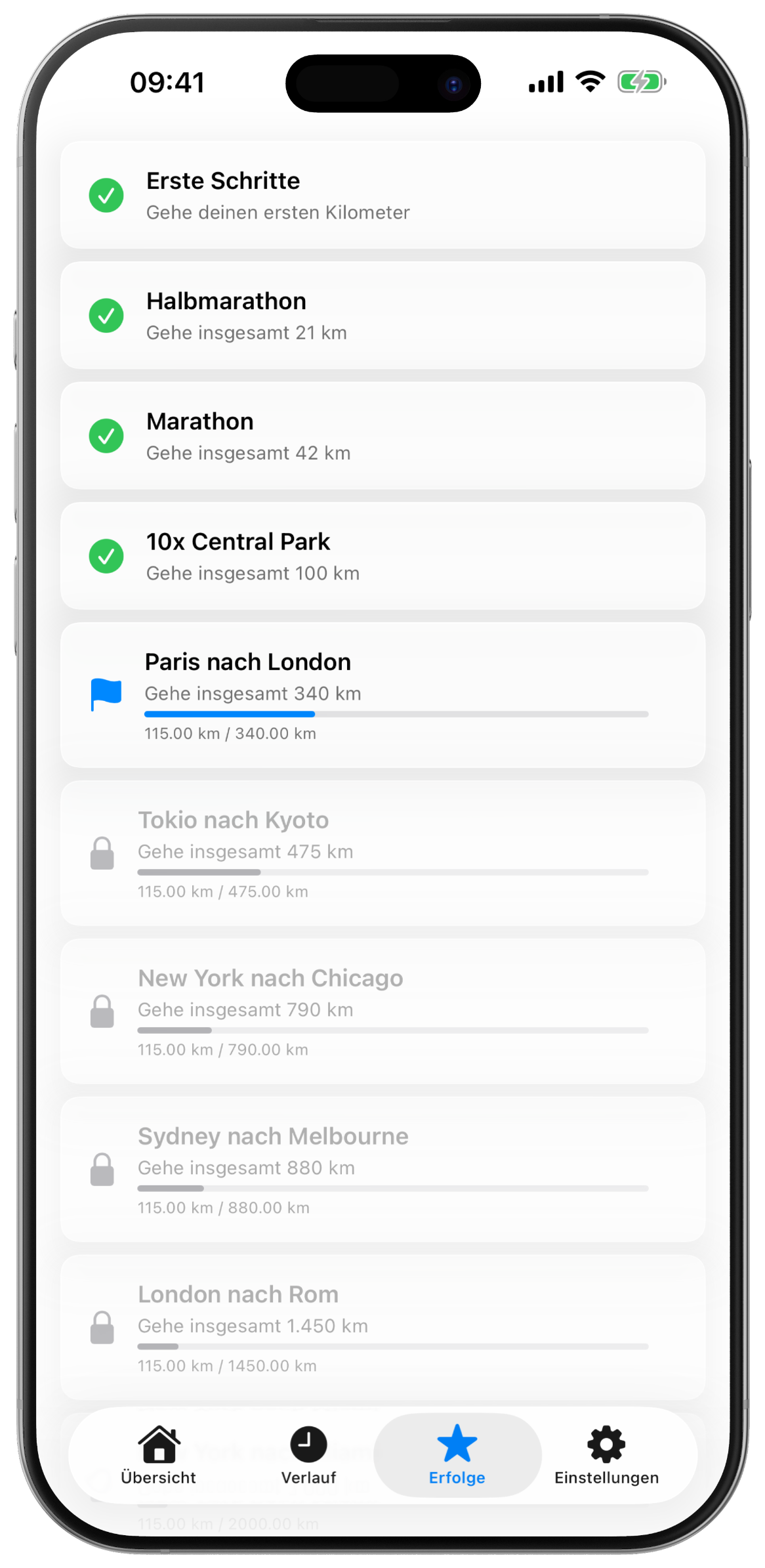
Milestone achievements named after famous routes around the world: First Steps (1 km) → Marathon (42 km) → Paris to London (340 km) → Trans-Siberian Railway (3,500 km). Each achievement turns your daily walking pad routine into a long-distance journey.
Works With Any Walking Pad
Compatible with every walking pad, with or without its own app, flat or inclined. No Bluetooth, no pairing, no sync issues. Just read the distance from the display and enter it.
100% Private, No Accounts, No Servers
All data stays on your device. No accounts, no servers, no analytics, no advertising SDKs. Works completely offline and uses only Apple's native frameworks (HealthKit, UserNotifications).
Free, With a Tip Jar
WalkPadLog is free, with no ads and no data collection. Every feature works without a purchase. If the app helps you, you can buy me a coffee in Settings, anything from a plain coffee to breakfast. It unlocks nothing, it's just a thank you.
Apple Health Integration
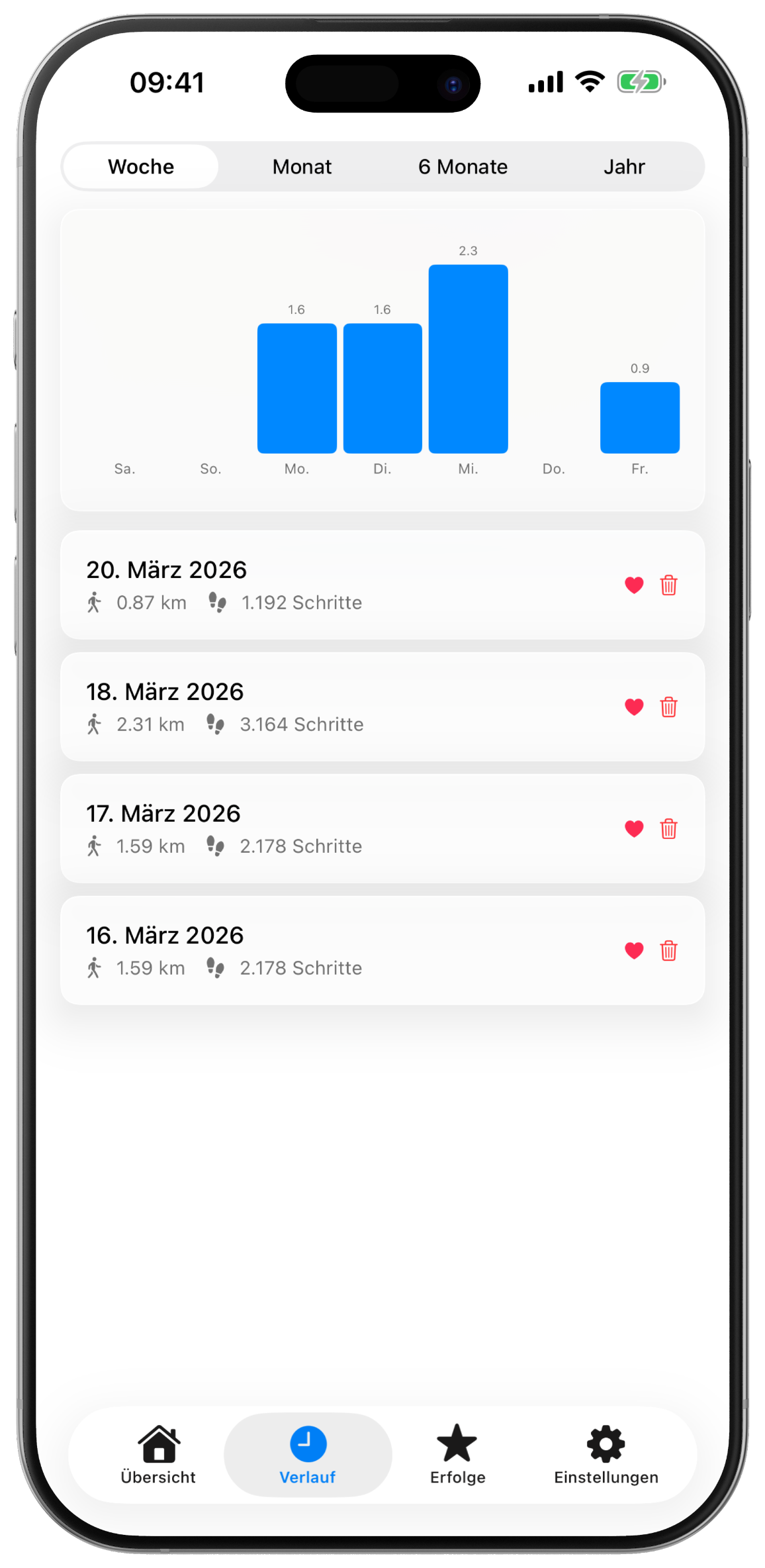
Every session is saved as an Indoor Walking Workout in Apple Health. Distance, steps, workout minutes, and calories fill your Activity Rings, even when your Apple Watch can't detect steps at your desk. If you're wearing your Watch, your real heart rate is automatically assigned to the workout.

Frequently Asked Questions
Does WalkPadLog connect to my walking pad via Bluetooth?+
No. WalkPadLog is intentionally designed for walking pads without Bluetooth. You enter the distance from your pad's display manually. No pairing, no sync issues, no manufacturer app required.
Will it work with my walking pad model?+
Yes. WalkPadLog works with any walking pad or treadmill, regardless of brand. As long as your pad shows a distance, you can log it.
Do I need an Apple Watch?+
No. WalkPadLog works on iPhone alone. If you have an Apple Watch and wear it during your session, your real heart rate is automatically linked to the workout in Apple Health.
How does WalkPadLog calculate calories?+
WalkPadLog uses a MET-based formula from the Compendium of Physical Activities, combined with your body weight and walking pace. When you log an incline, the grade term of the ACSM walking equation is added on top. Set your weight once in Settings or sync it from Apple Health. If left unset, a default of 75 kg / 165 lb is used.
Can I log my walking pad's incline?+
Yes. When you add a session, you can enter an incline from 0 to 15 percent alongside the distance. It feeds into the calories sent to Apple Health, and the vertical metres are attached to the workout. You can save a usual value as a default in Settings, so it's ready on every new entry.
Does WalkPadLog support imperial units (pounds, miles)?+
Yes. WalkPadLog follows your iPhone's region settings automatically, there's no manual unit toggle. With a US locale, distance is in miles and weight in lb; with a metric locale, you get kilometers and kilograms. Just enter the distance shown on your walking pad's display in whichever unit matches.
Apple Health shows fewer steps than I logged. Why?+
Apple Health deduplicates steps from multiple sources. To make sure your walking pad steps are counted correctly, move WalkPadLog above iPhone and Apple Watch in the priority list: in the Health app, tap Steps → Data Sources & Access → Edit and drag WalkPadLog to the top.
How do I track a walk?+
Tap the + button on the Dashboard and enter the distance shown on your walking pad's display. You can add speed and incline too. Then tap Save, that's it.
Why did my streak reset?+
Your streak resets if you miss a walk on one of your configured walk days. You can adjust your walk days anytime in Settings.
Does WalkPadLog cost anything?+
No. The app is free and ad-free, and every feature works without a purchase. Settings has an optional tip jar if you'd like to support it. It unlocks nothing.
How do I delete my data?+
Uninstall the app to remove all local data. To delete HealthKit data, go to the Health app → Profile → Apps → WalkPadLog → Delete All Data.
More questions? Email me at walkpadlog@tech-schmidt.de.
Download Now
Make every step on your walking pad count, even while working.
Apple, the Apple logo, iPhone, and Apple Health are trademarks of Apple Inc., registered in the U.S. and other countries. App Store is a service mark of Apple Inc.