GRIND BREAKER
One ball, one paddle, 50 levels that won’t let up.
The arcade skill game for iPhone and Android: steer the ball with your paddle, break through 50 handcrafted levels row by row and chase a full star rating. Choose between a pure Classic mode and the chaotic Gadget mode with ten power-ups. Free, with ads.

Free · With ads · iPhone and Android
How to play
Instantly clear, three steps and you’re in.
Move the paddle
Hold the left or right arrow next to the playfield to steer the paddle. In landscape, the two buttons sit right under your thumbs.
Launch the ball & keep it up
Tap the playfield to launch the ball. Then bounce it back up onto the blocks with your paddle, and don’t let it slip past you.
Clear the level, earn stars
Once every breakable block is gone, the level is done. The more points, the more stars, up to three per level.
Screenshots
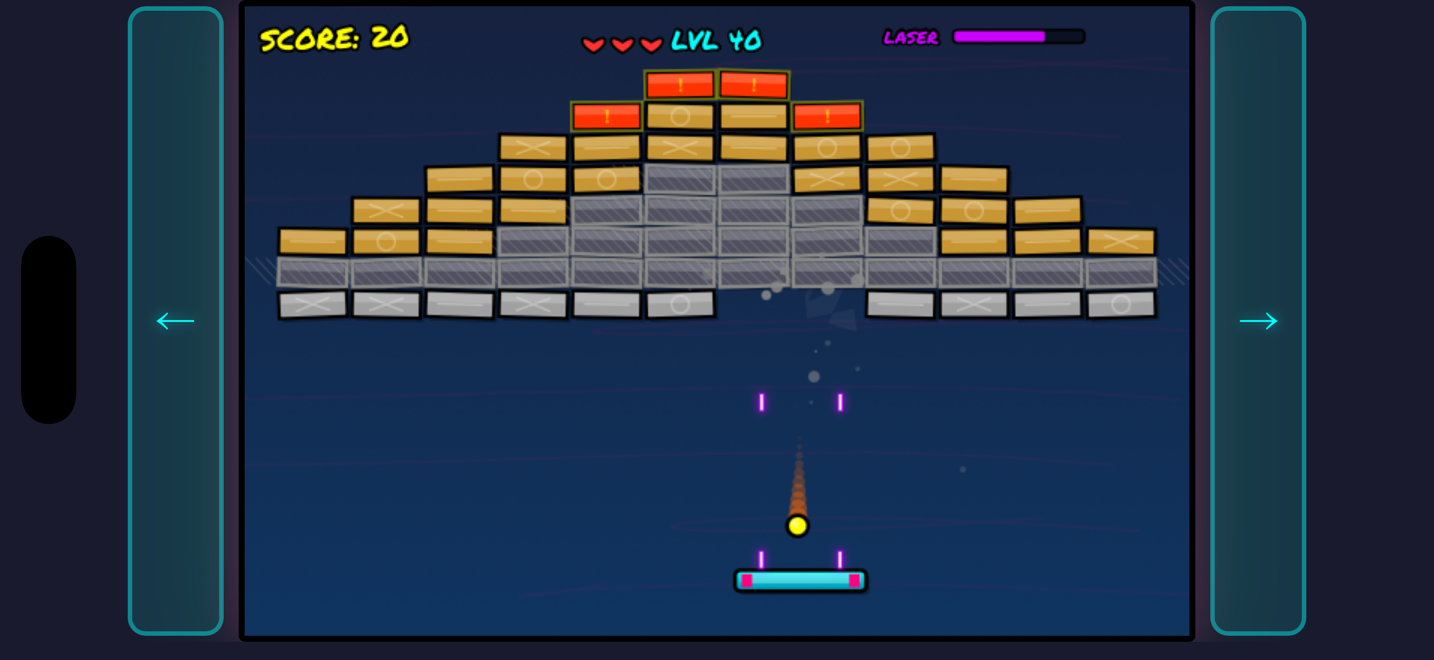
Features
50 handcrafted levels
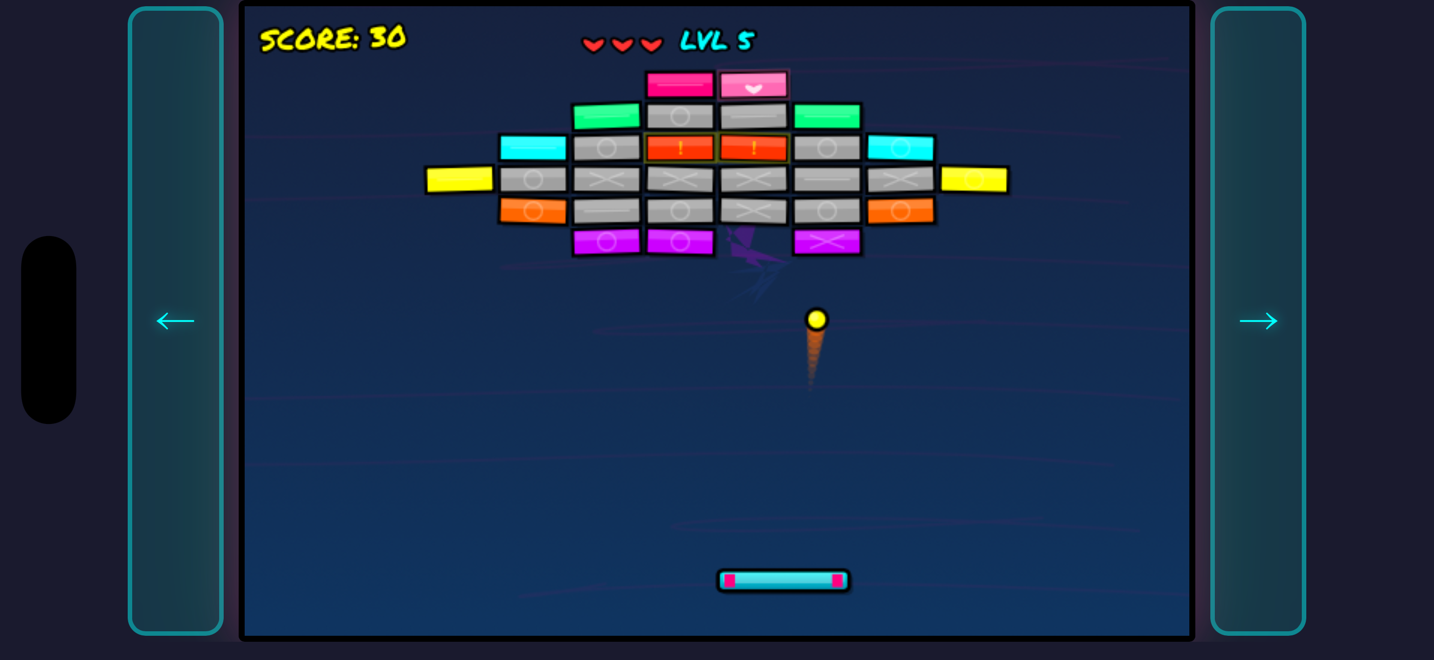
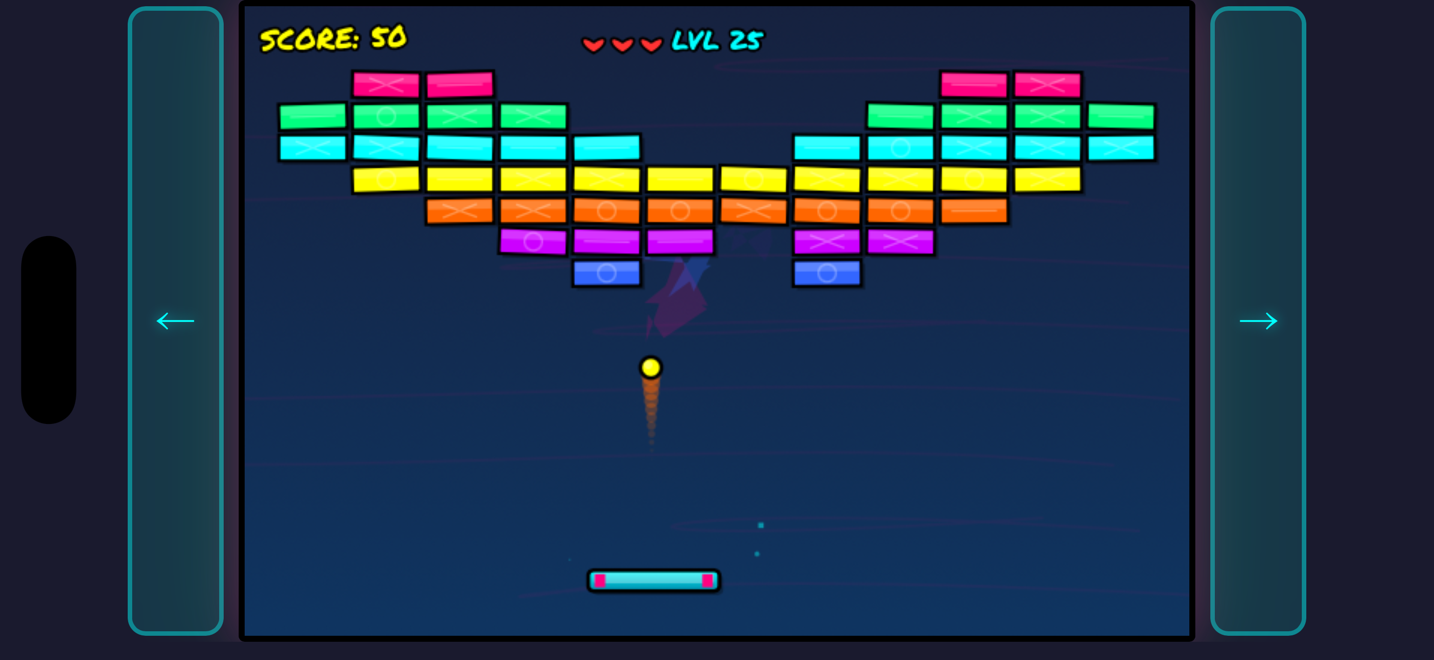
From gentle opening rows to tricky layouts of indestructible, explosive and multi-armoured blocks, the 50 levels ramp up stage by stage. Ball and paddle speed pick up gradually with every level.
10 gadgets in Gadget mode
Pick Gadget mode and grab power-ups: wider paddle, multi-ball, laser, fireball, magnet, slow-motion, shield and more. Each one shakes up the flow.
6 block types
Normal, tough and heavily armoured blocks, indestructible obstacles, explosive chain blocks and heart blocks that grant an extra life. Every type calls for a different tactic.
Built-in level editor
Stop clearing levels and start building them. Sketch your own layout block by block, stack the block types into a nasty little trap and send the ball straight through it. Too easy? Make it meaner. Designing and trying it out cost nothing; keeping a level for good is a one-time unlock.
Stars & per-level high scores
Earn up to 3 stars per level based on your score. High scores are saved for each level and kept separate per game mode, perfect for polishing every personal best.
Achievements to unlock
More than 20 achievements reward milestones, clean runs and skill. One more reason to give a level another go.
Checkpoints & a fair restart
A checkpoint system remembers your progress so a game over doesn’t wipe everything. Lose all your lives and you resume fairly instead of starting from scratch.
Share & import levels
Built a level worth showing off? Send it as a file via AirDrop, Quick Share or Messages, and add levels friends share with you to your list via “Import level”. Everything stays local on your device, with no account or server.
Help & FAQ
Everything about controls, ads and purchases.
How do I control the paddle?+
You move the paddle with two arrow buttons on the left and right of the playfield, in landscape right under your thumbs. Hold an arrow to move the paddle that way. To launch the ball, tap the playfield once.
What’s the difference between Classic and Gadgets?+
In Classic mode you play pure, with no power-ups, just ball, paddle and blocks. In Gadgets mode, power-ups drop from destroyed blocks and give you advantages like multi-ball, laser or a wider paddle. You choose the mode when starting a new game.
How do stars and high scores work?+
You can earn up to 3 stars per level depending on how many points you score. Your high scores are saved for each level individually and kept separate per game mode, so you can target and improve every best run.
Can I build my own levels?+
Yes. GRIND BREAKER has a built-in level editor. You place blocks on a grid, pick each one’s type and colour and test-play your creation on the spot. Designing and test-playing are free. If you want to keep a level and come back to it later, a one-time purchase unlocks saving.
Can I share my levels with others?+
Yes. Every saved level has a “Share” action that sends it as a file via AirDrop, Quick Share, Messages or another app. To add a shared level, go to “Editor” → “Import level” in the app; it then appears in your level list. On iPhone you can also tap the file you received and choose “Open in GRIND BREAKER”. Playing shared levels requires the one-time Level Editor purchase. The exchange happens directly between devices, and we store nothing in the process.
Why do I see ads?+
GRIND BREAKER is free and funded by advertising. A full-screen ad appears occasionally between levels (roughly every two levels). In addition, you can optionally watch a short video to earn an extra life after a game over. That one is always optional.
How do I remove the ads?+
The shop offers a one-time “Remove Ads” purchase. After that, no more full-screen ads are shown. The extra life after a game over is then granted for free, with no ads at all.
I bought “Remove Ads” but still see ads.+
This usually happens after switching devices or reinstalling. Open the shop and tap “Restore Purchases”. Your purchase is tied to your Apple ID (iPhone) or Google account (Android) and will be restored free of charge.
Is my progress saved in the cloud?+
No. Your level progress, high scores and settings are stored exclusively on your device. Uninstalling the app removes this data.
How do I reset the tutorials?+
In Settings you’ll find the “Reset Tutorials” option. After that, the explanations for blocks and controls will show again next time.
Is GRIND BREAKER also available for Android?+
Yes, GRIND BREAKER is also available on Google Play, with the same 50 levels and the level editor. Progress and purchases can’t be transferred between iPhone and Android, though: your save data stays on your device only, and purchases are tied to the respective store.
Still stuck or found a bug? Email me at grindbreaker@tech-schmidt.de.
Download now
Get GRIND BREAKER free on your iPhone or Android device and crack all 50 levels.
Apple, the Apple logo and iPhone are trademarks of Apple Inc., registered in the U.S. and other countries. App Store is a service mark of Apple Inc. Android and Google Play are trademarks of Google LLC.